Your first screen
Open BAT-BMS for the first time and you land on a mostly empty dashboard. That is normal — there is nothing to show until you connect a battery. Resist the urge to dive into settings. The only thing worth doing on this first screen is granting the Bluetooth and Location permissions the app asks for. Without them, the rest of the journey goes nowhere.
Your first connection
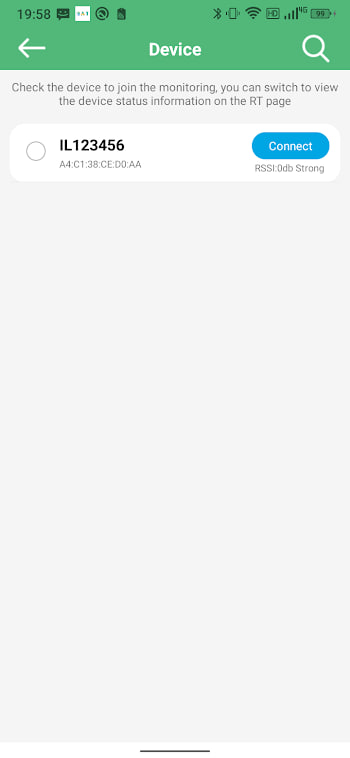
With permissions granted, switch your battery on and tap the scan button. Hold still. Within a few seconds your BMS appears in the list, usually labelled with a model name or a string of letters and numbers. Tap it. A brief handshake later, the dashboard fills with numbers. If the list stays empty, do not panic — the connection checklist solves almost every case.
Three numbers that matter
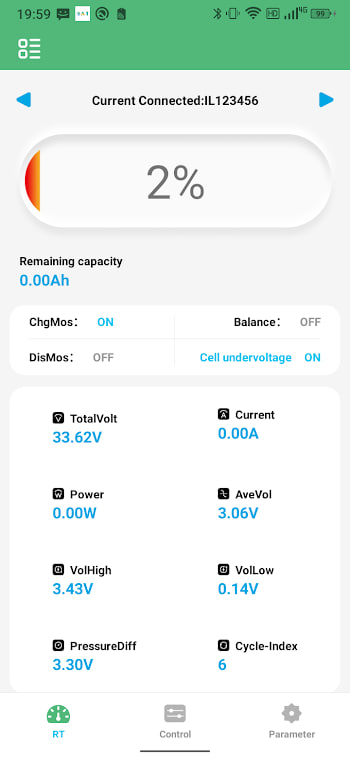
Of everything the dashboard shows, three readings carry most of the value for a beginner:
- Total voltage — the overall state of the pack. Compare it against what your battery should read at full and empty.
- Current — positive when charging, negative when discharging. It tells you what the pack is doing right now.
- Highest and lowest cell — the gap between them is your quickest health signal. Small gap, healthy pack.
Everything else is detail you can grow into. Start with these three and you will understand your battery better than most owners ever do.
What to ignore for now
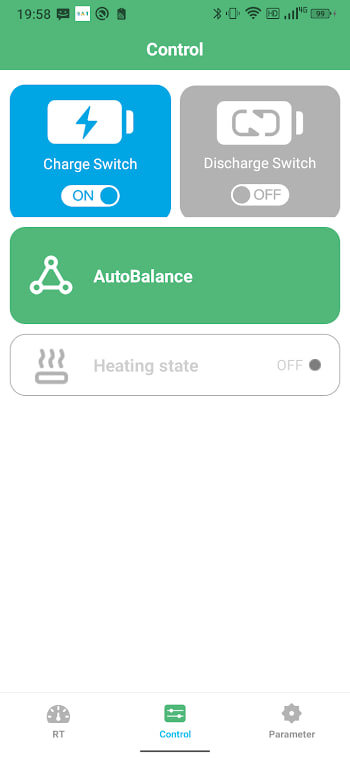
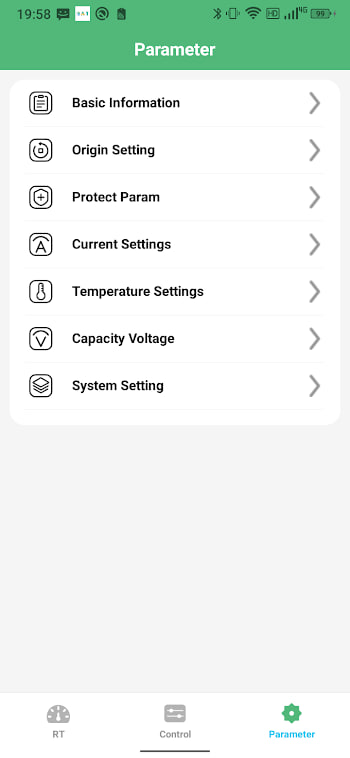
The settings screen is full of tempting dials: cell count, chemistry, capacity, protection thresholds. Leave them alone until you understand what each one does. The defaults that came with your BMS are almost certainly sensible for your pack. Changing them blindly is the fastest way to create problems that did not exist before. When you are ready, the features guide walks through each one.
A simple daily routine
You do not need to live in the app. A ten-second glance once a day is plenty for most setups. Check the total voltage, glance at the cell gap, and confirm no protection flag is lit. If everything looks normal, close the app and get on with your day. The battery tips guide turns that habit into longer pack life.
Where to go next
Once the basics feel comfortable, two guides deepen your understanding without overwhelming you. The cell voltage guide explains how to read the per-cell view, and the health guide shows what the numbers say about long-term condition. Take them one at a time.