First, stay calm and get safe
If your e-rickshaw has just died in the middle of the road, the first job has nothing to do with the battery. Put your hazard indicators on if you have them, and get the vehicle to the side as best you can — even a dead e-rickshaw can usually be pushed a few feet by a bystander or two. A stalled vehicle sitting in a live traffic lane is the actual danger here, more than the battery fault itself, so deal with that before you touch a single wire.
Once you are safely off to the side, take a breath. In a lot of these cases — especially over the last few weeks — the battery is not broken at all. It was switched off remotely by someone standing nearby with the BAT-BMS "prank" trend that has been going around. That is actually good news, because it means the fix is usually much simpler than a real battery fault.
Is this the prank, or a real fault
Before you assume the worst, run through this quick checklist. It only takes a minute and tells you which situation you are in.
- Did it stop suddenly, with no warning? A real battery fault usually gives some notice — a dashboard warning light, a jerky loss of power, or the range indicator dropping fast beforehand. A sudden, clean cut-out with everything else on the dashboard looking normal is the classic sign of a remote switch-off.
- Was anyone nearby with a phone out? The exploit only works within Bluetooth range, roughly 10–15 metres. If someone was standing close by looking at their phone right as it happened, that is a strong clue.
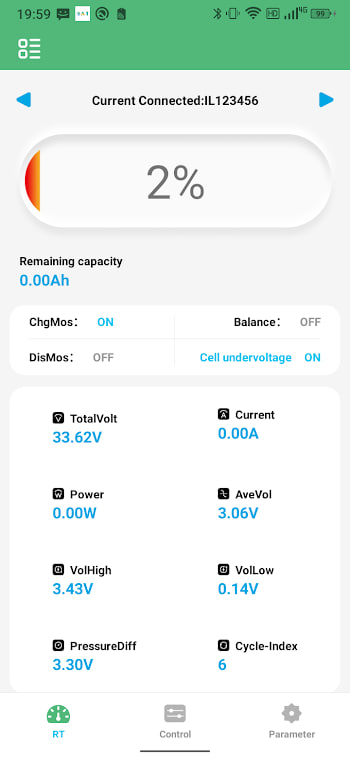
- Does the battery show charge but no output? If you or a mechanic can check the battery's display or app and it still shows a healthy state of charge, the cells are fine — the discharge switch was simply told to open.
- Did it happen in a crowded area, market, or known "prank" hotspot? These incidents cluster in busy public spaces where a crowd makes the person doing it harder to spot.
If most of these point the same way, treat it as the prank and move to the next section. If the vehicle also showed warning signs beforehand, or the battery genuinely will not hold charge, this is more likely an actual fault — our common problems guide and error codes guide are the better next stop.
How to get moving again
If you suspect a remote switch-off, try these in order. Most e-rickshaws are moving again within a couple of minutes.
- Wait sixty seconds, then try the ignition again. Whoever did this usually only holds the connection for a few seconds; once their phone disconnects, some BMS units automatically re-enable the output.
- Use the physical battery switch if your pack has one. Most e-rickshaw batteries have a manual on/off switch on the case itself, separate from the app-controlled discharge relay. Turning it off and back on resets the BMS output and is the single most reliable fix.
- Disconnect and reconnect the main battery terminal if there is no separate switch. This forces the same reset, just at the wiring level. If you are not confident doing this yourself, this is the point to call for help rather than start disconnecting things you are unsure about.
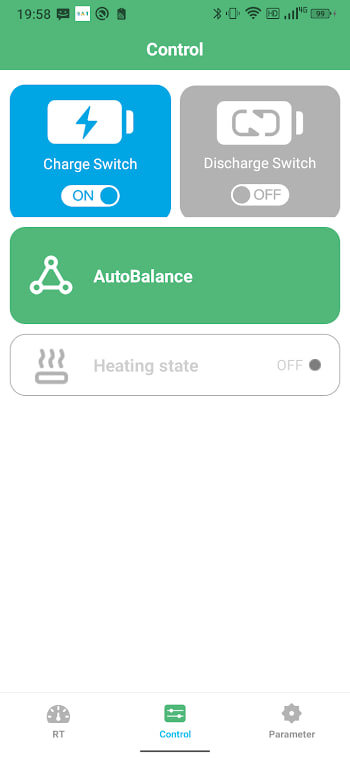
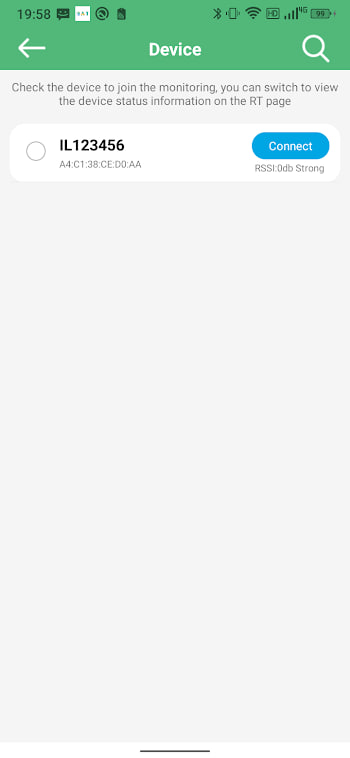
- If you or a passenger has the BATBMS app, connecting to your own battery and checking its status can confirm the cells are healthy and show whether a protection flag was set, which tells you definitively that this was a switch-off rather than a fault.
If it will not come back on
Occasionally the reset does not take on the first try, or the battery has a fault unrelated to the prank that happened to surface at the same time. If the steps above have not worked:
- Try the physical switch reset a second time, leaving it off for a full thirty seconds rather than a quick flick.
- Check the battery is not simply low on charge — a coincidence, but worth ruling out before you assume foul play.
- If you have a fellow driver or mechanic nearby with the app, a second BATBMS connection can sometimes see a status the first phone missed.
- If none of this works, treat it as a genuine fault from here and get it to a service centre — our common problems guide covers what to tell them.
Lock your battery so this cannot happen twice
This is the part that actually matters long-term. The entire reason this trend works on some vehicles and not others is that some batteries were left with open, unprotected Bluetooth pairing straight from the factory or dealer. Setting a pairing password closes that gap completely and takes about ten minutes:
- Connect to your own battery with the BATBMS app.
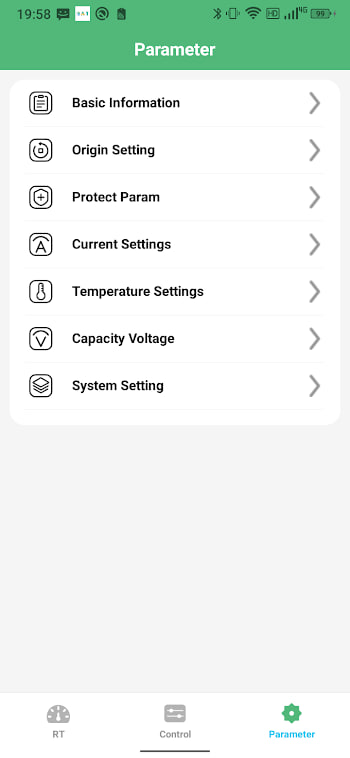
- Open the settings or parameters screen and look for a Password, PIN, or Pairing Code option.
- Set a new code — not the factory default like
123456or000000. - Reconnect once to confirm the pack now asks for the code before it will talk to any phone.
Full details, including what to do if your BMS has no password option at all, are in our password and pairing security guide. Once this is set, a phone with no code simply cannot connect to your battery, which means nobody standing nearby can switch it off, prank or otherwise.
Should you report it
If you are confident this happened to you deliberately — especially if you saw who did it, or there is CCTV nearby — it is worth reporting to local police. This is not an overreaction: switching off someone's vehicle without permission falls under India's IT Act and mischief provisions, and at least one arrest has already been made over exactly this trend in Madhya Pradesh. You are not wasting anyone's time by reporting it, and every report makes the pattern easier for authorities to act on.
Preventing this for good
To sum up the actual fix, because it is easy to get lost in the recovery steps: the password is the permanent solution, the physical switch is your emergency reset, and knowing the difference between a prank and a real fault saves you an unnecessary trip to a mechanic. If you want the fuller picture of why this trend exists and what the law says about the people doing it, our companion article on why this is not a harmless prank covers that side in detail.